Apple A, Apple O
One chilly morning when I was in fifth grade, I found two of my best friends—let's call them G and W for the first letters of their first names—arguing with each other. The dispute concerned laptops—two laptops to be precise. My elementary school was fortunate enough to have a laptop cart with about twenty MacBooks, which teachers could book for their class to use, kind of like a mobile computer lab. Apparently, that day, two of the MacBooks in the cart stopped working, and either G or W was to blame. The question was who.
The relevant facts are as follows. G and W's teacher had booked the laptop cart for her class that day, and G and W, along with one of their friends, a guy we'll call T, sat together for the class. Evidently, G, W, and T were not really paying attention to their class assignment that day and were instead just playing around on their laptops. At some point, G warned W and T that there is a keyboard shortcut in Mac OS X that you should never ever do: "Apple A, Apple O" in the Applications folder. Naturally, whenever you tell a 10-year-old boy not to do something novel they've never done before, just what do you think they are going to do?
 |
| Image source: https://redd.it/ax9hqm |
Let's break down what "Apple A, Apple O" means.
- The "Apple" part refers to the "Command" key, which was indicated on some of the old Apple keyboards back in the day by both a looped square symbol (⌘) and an Apple logo () (pictured). The Command key is analogous to the Ctrl key on Windows. ⌘C is the command on Mac to copy text, and ⌘V is the command to paste text, just like Ctrl+C and Ctrl+V on Windows. Modern Mac keyboards no longer have the Apple logo on the Command key, so a kid today would probably say "Command A, Command O" instead of "Apple A, Apple O".
- "Apple A" means the command ⌘A, which is "Select All". If you do ⌘A in a text box, for example, it will select all of the text in the text box. I use ⌘A all the time when I am typing in a chat, for instance, and I decide I want to clear everything I've written in the message so far and start over. If you use ⌘A inside of Mac's Applications folder, as G emphatically told W and T never to do, that will select and highlight all of applications that are installed on the computer, from the web browser to the calendar to the email app to the games. Everything.
- "Apple O" refers to the command ⌘O, which will open any file or application that you currently have selected. For example, if you single click on a file on your desktop, then use ⌘O, it will open that file. If you run ⌘O in the Applications folder immediately after running ⌘A, the Mac will then attempt to open every single application installed on the computer simultaneously.
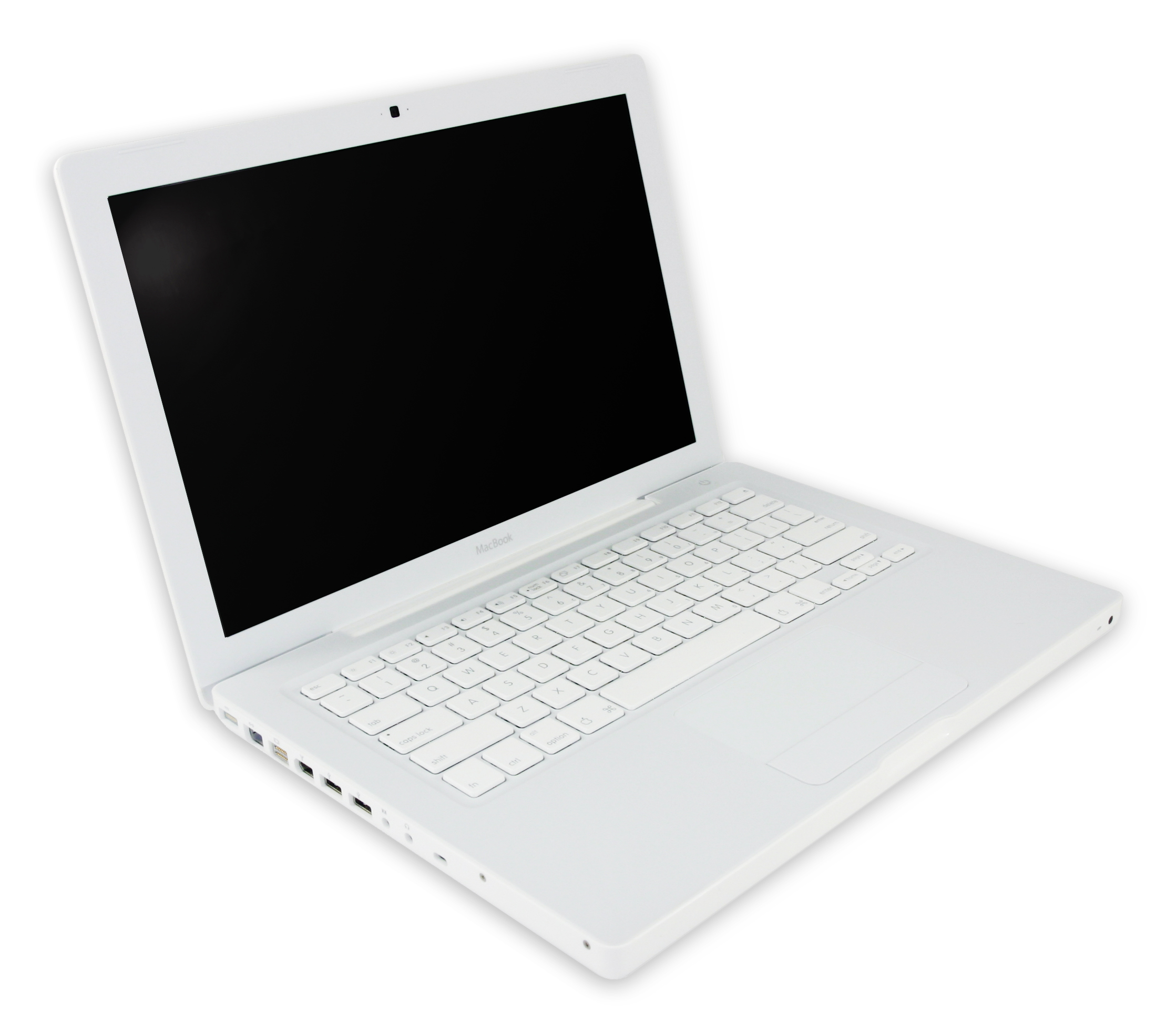 |
| 2006-era MacBook, the kind G and W fried (Image by Jared C. Benedict) |

It did not go well. This was around 2009 or 2010, and the laptops we used were probably 2006-2007 era white polycarbonate MacBooks—the first generation to use Intel processors. Looking at the historical specs of MacBooks from this era, the laptops probably had either 512 MB or 1 GB of RAM, a 2 GHz dual-core Intel Core 2 Duo processor, and spinning physical hard drives. By today's standards, these specs are quite garbage, especially the measly amount of RAM, which is the area of computer memory where applications store short-term information, such as the content of your websites while you are visiting them. Modern computers in 2020 typically have at least 8 GB of RAM (my current laptop, a 2019 16-inch MacBook Pro, has 16 GB of RAM), which allows computers to process more information more quickly. With at most 1 GB (and possibly only 512 MB) of RAM, there is simply no way for that tiny laptop to try and open all of the applications installed on it simultaneously without crumbling under all that weight.
I was not there when it happened, but from what I heard, apparently the icons of the applications in the Dock shrinked to tiny sizes as the MacBook tried to fit all of the applications installed on the computer into it. All of the icons then started bouncing, indicating the computer was indeed trying to open them. At this point, W reportedly cried, "Look, they're dancing!", which caused T to look over and want to try the same thing for himself. W's MacBook then allegedly made a horrible sound before the screen went black and then it died. Moments later, T's MacBook did the same thing (it is not clear whether T ran Apple A, Apple O before or after seeing W's MacBook die). When the teacher came over to investigate, both of the laptops refused to turn back on. As I recall, G, W, and T all got in trouble. These were not inexpensive computers. Each one probably cost the school around $1000.
So when I got to lunch that day, G and W were arguing with each other over who should be held responsible for what was essentially $2000 in property damage. W argued that it was G's fault because G was the one who told W about the command. G argued that it was W's fault for actually being the one to run the command that he specifically said not to do. The two asked me for a third opinion, and 10-year-old me proposed a test: if you were to remove a person, would the event still have happened? If not, then that person is to blame. W then argued that if you removed G, the event would not have happened, but if you only removed W, then the event still would have happened because G would have caused T to brick his laptop. G rejected this logic and argued that if you removed W and T, none of this would have happened either—both of them were to blame.
The dispute was frankly never resolved. I suspect that to this day, G will still claim it was W's fault, and W will still claim it was G's fault. However, the nature of the experience has evolved from a negative, friendship-challenging conflict to a positive, nostalgic childhood memory. Over the years, I've drifted apart from G and W, but we will still bring up this memory from time to time and laugh at our collective stupidity. We were kids. That's all there is to it.